



How to Connect an iPhone to a MAZDA CX-5
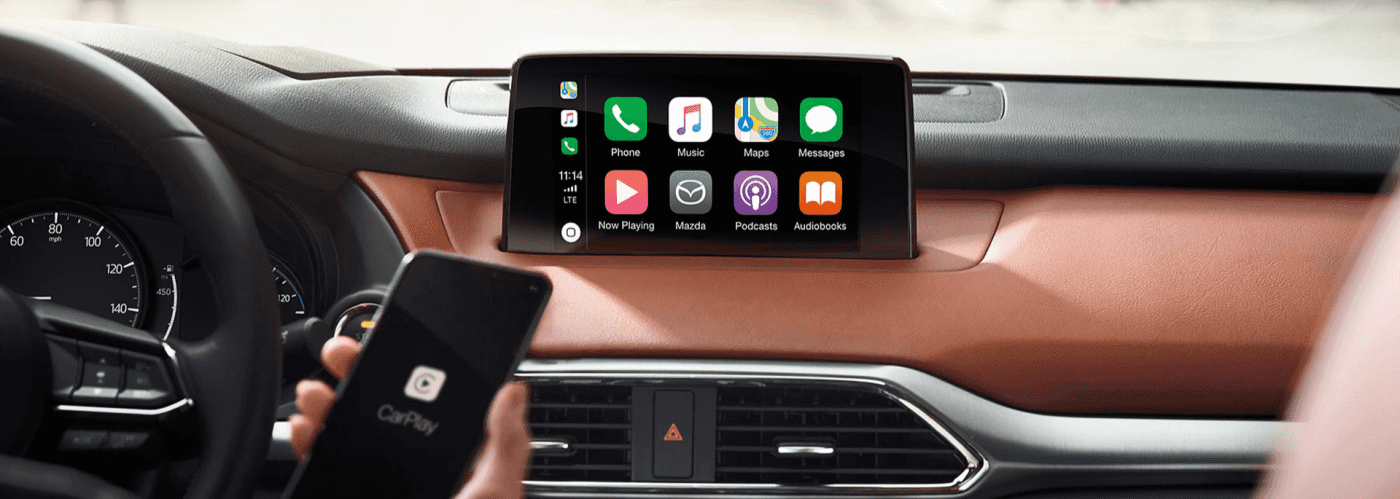
Many Mazda SUVs offer enhanced technology features. Learning how to connect an iPhone to a Mazda CX-5 can help you save time accessing your favorite phone apps during your commute. Superior Mazda is here to highlight this connection process through this guide.
Connect Your iPhone via Bluetooth®
You can connect your iPhone via Bluetooth® to make hands-free calls. After activating Bluetooth® on your iPhone, access your Mazda Connect™ infotainment system’s “Bluetooth® Settings” and add a new device. After selecting “Mazda” on your phone’s Bluetooth® settings, input the six-digit PIN code on both screens to enable connectivity.
Connect Your iPhone via Apple CarPlay®
Wired Apple CarPlay® is standard on the 2026 Mazda CX-5 2.5 S trim. After locating the USB port on your cabin’s center console, connect your iPhone to it with a genuine Apple® Lightning cable or USB-C cable. Once you’re plugged in, follow the prompts on your Mazda Connect™ touchscreen and iPhone to enable connectivity.
Most 2026 Mazda CX-5 2.5 trims let you connect your iPhone to your vehicle with wireless Apple CarPlay®. If your vehicle is already paired with Bluetooth®, it will ask if you want to enable Apple CarPlay®. After selecting “Allow” or “Always Enable,” you can automatically access your iPhone’s apps.
Troubleshooting Connection Problems
Sometimes, your iPhone may have trouble connecting to your vehicle. You can resolve this by resetting your Wi-Fi® network settings or updating your iPhone’s iOS. If you’re using wired Apple CarPlay®, ensure that your cord isn’t damaged and is plugged into a USB port with a phone icon.
Learn How to Connect an iPhone to the MAZDA CX-5 in Bentonville, AR
When you need help on how to connect an iPhone to a Mazda CX-5, speak with our team at Superior Mazda. We can also provide additional insight into its available features. We look forward to meeting with you.
0 comment(s) so far on How to Connect an iPhone to a MAZDA CX-5